Overview
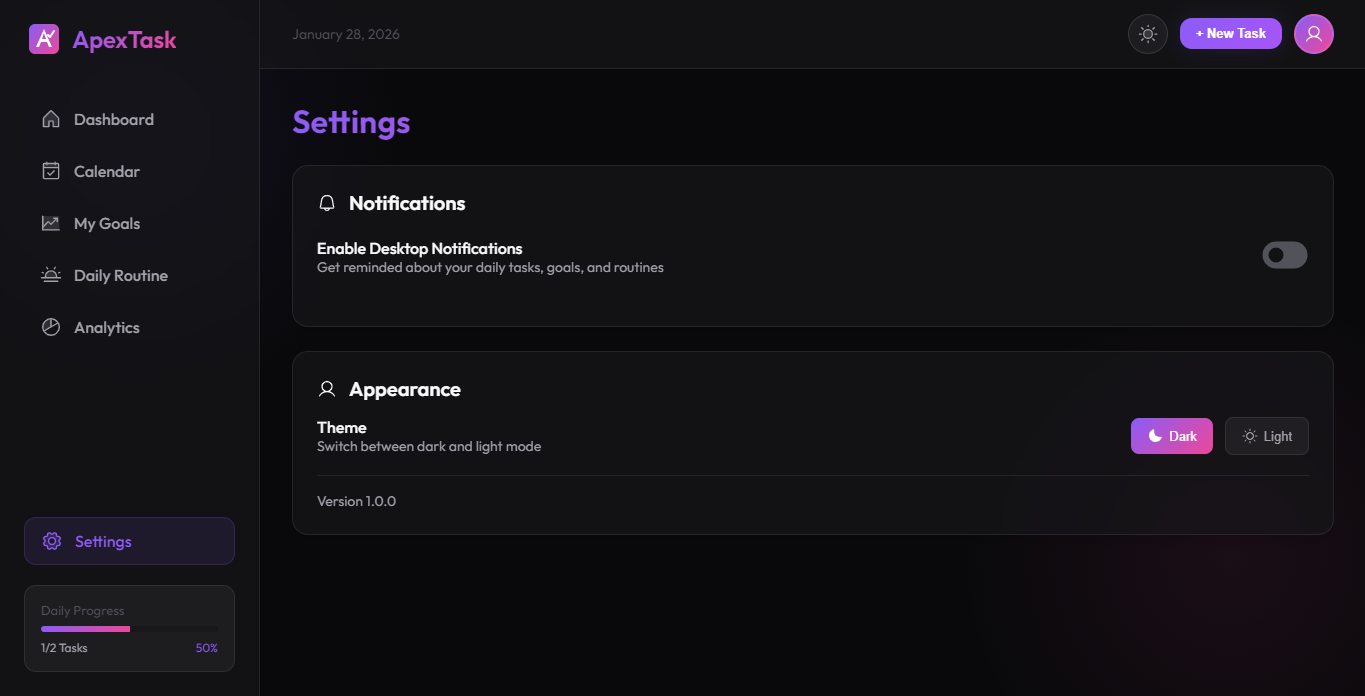
The Settings page allows you to personalize ApexTask. Customize your experience, set up notifications, and switch between themes.
Profile Settings
- Display Name - Set your name for personalized greetings
- Avatar - Choose or upload a profile picture
Theme Options
ApexTask offers two beautiful themes:
 🌙 Dark Theme
 ☀️ Light Theme
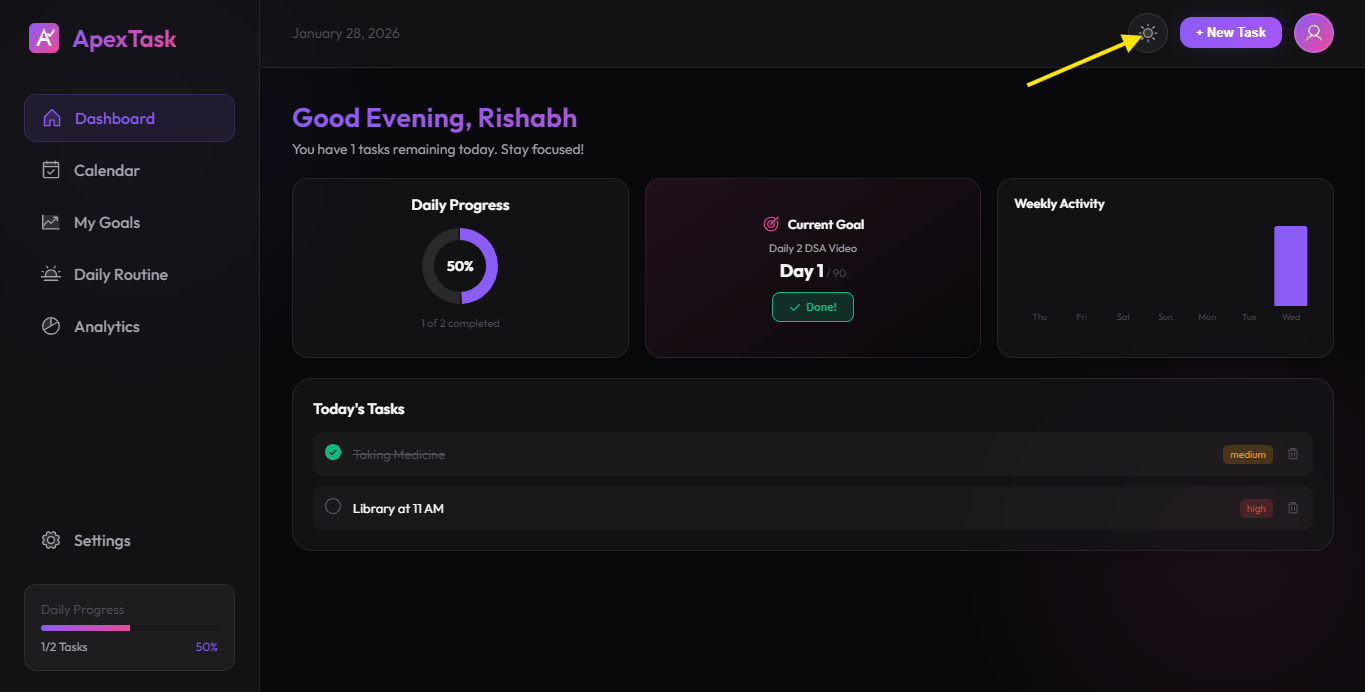
🌙 Dark Theme (Default)
A sleek, modern dark interface with:
- Deep black background
- Glassmorphism card effects
- Vibrant purple and pink accents
- Easy on the eyes for night use
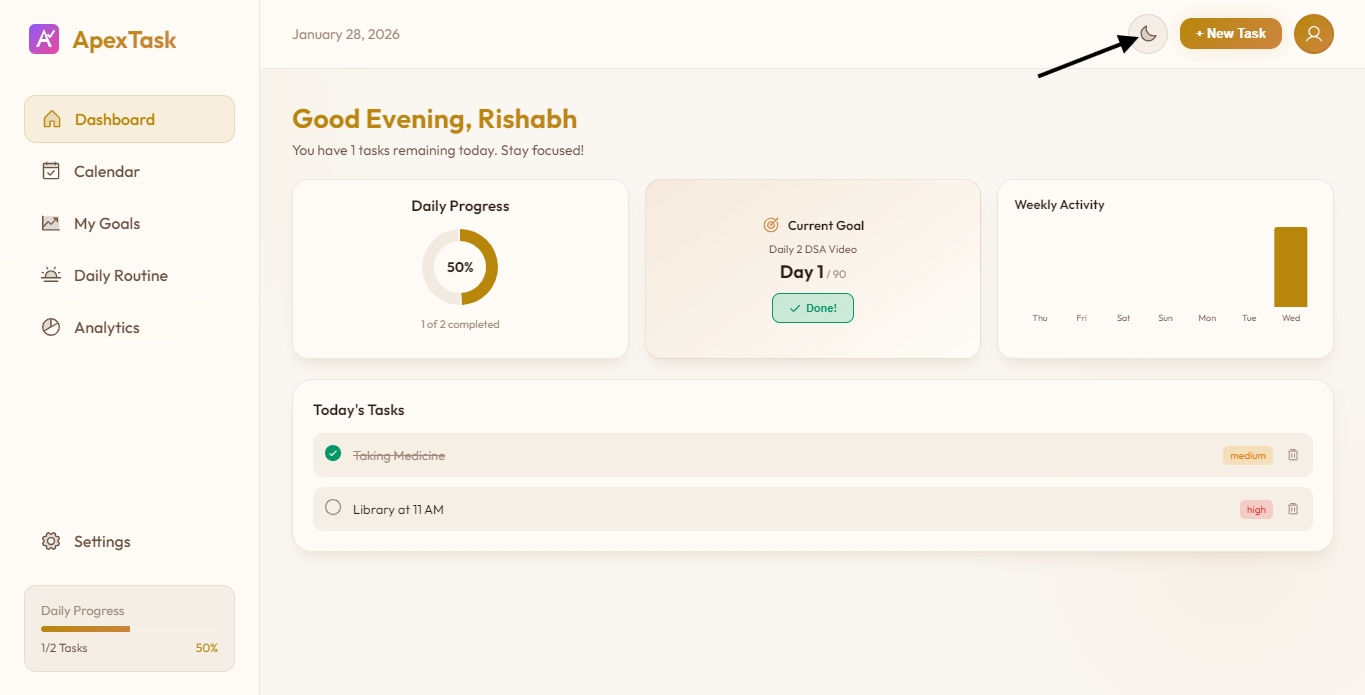
☀️ Light Theme
A clean, warm light interface with:
- Warm cream/beige tones
- Soft shadows and subtle gradients
- Golden yellow accents
- Perfect for daytime use
Switching Themes
You can switch themes in two ways:
- Header Toggle - Click the sun/moon icon in the top-right corner
- Settings Page - Toggle the theme switch in Settings
Notification Settings
- Desktop Notifications - Enable/disable system notifications
- Goal Reminders - Get reminded to check in on your goals
- Task Reminders - Get notified about upcoming tasks
Data Management
- Export Data - Download all your tasks and goals as JSON
- Clear All Data - Reset the app to its initial state
Note: All data is stored locally on your device. We don't collect or store any personal information on servers.