Overview
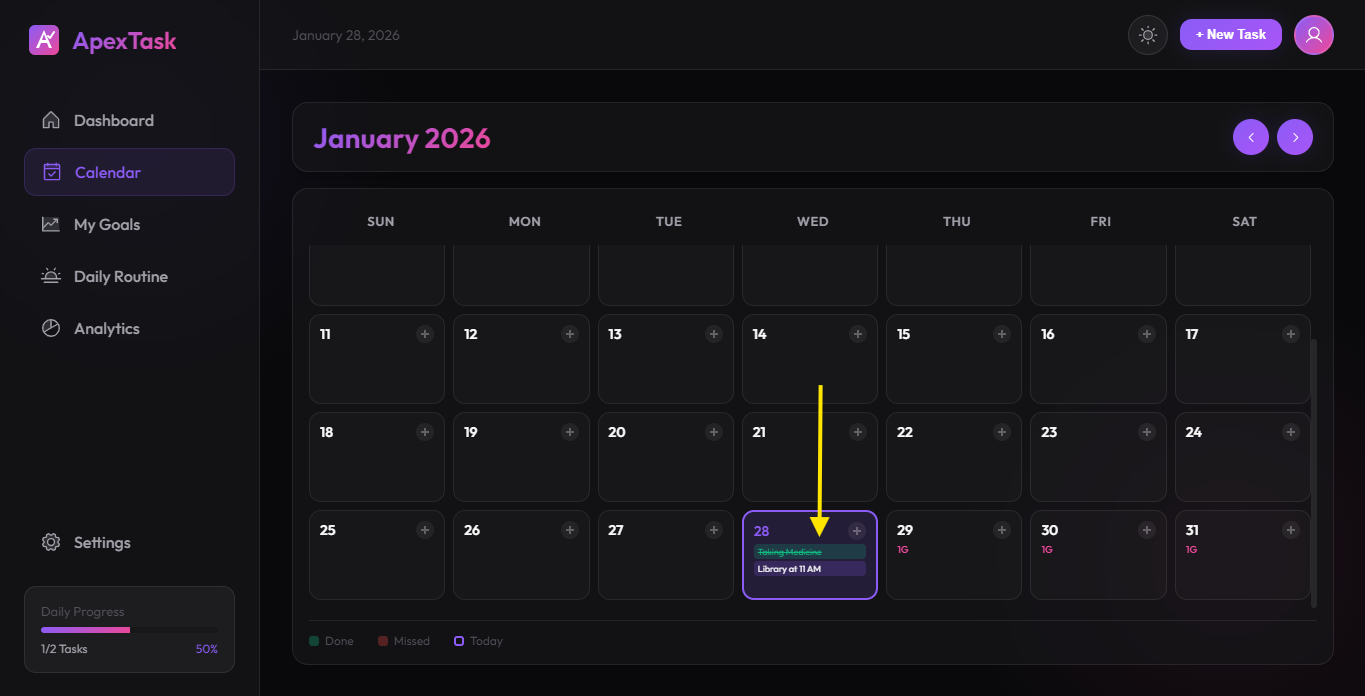
The Calendar view provides a monthly overview of all your tasks and goal check-ins. It's the perfect way to plan ahead and see your commitments at a glance.
Calendar Features
📅 Monthly View
See the entire month in a clean grid layout. Navigate between months using the arrow buttons in the header.
🎨 Color-Coded Days
Days are color-coded for quick visual reference:
- Purple highlight - Today's date
- Green indicator - Goal check-in completed
- Red indicator - Missed goal check-in
- Task dots - Days with scheduled tasks
➕ Quick Task Creation
Click on any day to quickly create a task for that date. The task modal will open with the selected date pre-filled.
Navigation
- Use the left arrow (←) to go to the previous month
- Use the right arrow (→) to go to the next month
- The current month and year are displayed in the header
Tips
- Use the calendar to plan your week ahead by clicking on future dates
- Check your goal streaks by looking at the green/red indicators
- Hover over dates to see task previews